
How to Remove Bulk Duplicates from Outlook MSG File?
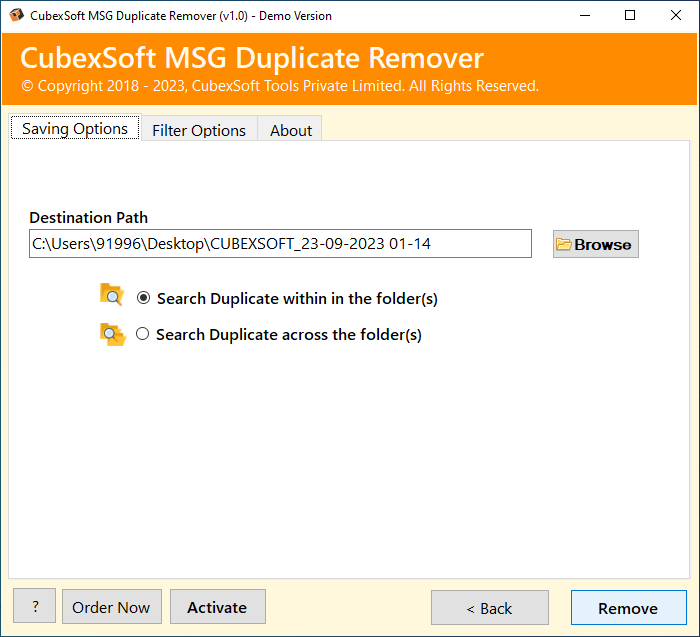
In this article, we’ll explain how to remove bulk duplicates from Outlook MSG file without any trouble. It also included the brilliant and safe way to delete multiple duplicates items from MSG file in one go. Primarily, we describe the best and tested solution to eliminate duplicate emails from MSG files using professional MSG File Duplicate Remover.
Professional & Reliable Solution to Remove Bulk Duplicates from Outlook MSG File
CubexSoft MSG Duplicate Remover is a trustworthy, safe, and user-friendly software that uses advanced algorithms to find and delete duplicate items from MSG files without the risk of losing any important data. Also, one can simply remove duplicates from unlimited MSG files in bulk through the Add Folder option. It’s developed by keeping all needs of users in mind. Users can find and eliminate duplicate emails from Outlook MSG files by matching specific attributes. For example, from, subject, to, cc, etc. This utility can be treated as a one-stop solution to fulfill all basic needs of users.
Working Process of the MSG Duplicates Remover
Download and launch the MSG Duplicate Remover Tool on your Windows platform.

Upload MSG File (s) by ticking on “Select Files” or “Select Folders” options.

Opt for the Needed Folders from the program pane and press Next.

Select between the dual options to remove duplicates – Within or Across Folder.

Use Filters Option according to your needs from the tool’s control pane.

Press the Browse tab to select the Location to save the resulting MSG file.

Click Remove tab to start removing duplicated entries in MSG Files.

The process to remove bulk duplicates from Outlook MSG file has been Completed Successfully.

Last of all, the program will open the Destination Location so that users can quickly get MSG files without any duplicates.

Outstanding Benefits of the Software
Supports Batch Option: This app provides a batch mode option which allows users to delete single or bulk duplicates entries in MSG files at once.
User-friendly Interface (GUI): A simple and user-friendly GUI interface which makes it simple for users to use, even for novice users.
Data Integrity: The tool should ensure that there is no data loss or corruption throughout the elimination procedure.
Support: Compatible to all Windows Operating System and Outlook editions.
Technical Support: It should provide reliable technical support as well as assistance to users who encounter any problems throughout the deduplication process.
Reasons to Delete Duplicates Items in MSG Files
Deleting duplicate items in MSG files can be necessary for a number of reasons, mainly in the context of email management. Here are some reasons why you might want to remove duplicate emails, items, attachments etc. in MSG files-
Storage Optimization: Unnecessary storage space is consumed by duplicate things, especially in email messages. Eliminating duplicates lowers the total amount of storage needed while also maximizing storage efficiency.
Enhanced System Reactivity: Eliminating duplicate items can help enhance system responsiveness generally, loading times, and email retrieval. It reduces the quantity of data that must be handled and shown.
Avoiding Redundancy: When items in the user interface are duplicated, it can become difficult for users to navigate and manage their emails. Removing redundancies contributes to a simpler, easier-to-use interface.
Improved Search Accuracy: Duplicates can produce inaccurate search results when looking for specific items within MSG files. Removing duplication guarantees that search queries yield more pertinent and accurate results.
Preventing Confusion: Users may become confused by duplicate items, particularly while using their email accounts. Eliminating duplication facilitates a more streamlined user experience and helps to prevent confusion.
So, if you are tired of struggling with duplicate MSG files and need a powerful, effective and smart solution, this software is the best choice. Visit our official website now to learn more about this incredible application and try the free demo edition.
About Author